
Setting Up Automated Performance Tests for Our API

I've been working on expanding the test suite for Preserve, our SaaS platform for financial management. I wanted to add performance tests; partly because they were genuinely missing and partly because I wanted to learn how to do it in practice.
I chose k6 from Grafana, which is a lightweight open source tool for load testing and performance testing. It felt like a good fit as a first step.
I started simple by creating a script that simulates 5 parallel users creating and reading time reports through our GraphQL API for 30 seconds. The goal wasn't to build a stress test but to catch obvious regressions if something suddenly becomes 5–10× slower. Here is the core of the setup:
const PERF_TEST_MARKER = 'k6-perf-test';
// Fixed far-future date avoids collision with xUnit tests that use today's date
const PERF_TEST_DATE   = '2099-01-01';

export const options = {
  vus: 5,
  duration: '30s',
  thresholds: {
    'http_req_duration{type:test}': ['p(95)<2000'],
    'http_req_failed{type:test}': ['rate<0.01'],
  },
};
Two things I was careful about
1. Isolation
Test data needed to be tagged with a unique prefix and cleaned up after each run. I also used a fixed date far in the future (year 2099) to avoid collisions with the xUnit tests running against the same environment in parallel. Without that kind of isolation, tests can interfere with each other in ways that are hard to debug.
2. Simple thresholds
The p95 response time should stay below 2 seconds and the error rate below 1%. p95, or the 95th percentile, means that 95% of all requests completed within that time. It's a more useful signal than an average, since averages can mask a slow tail that users actually experience. The thresholds are intentionally generous. The goal wasn't to fine-tune for production but to have the pipeline alert when something has truly gone wrong.
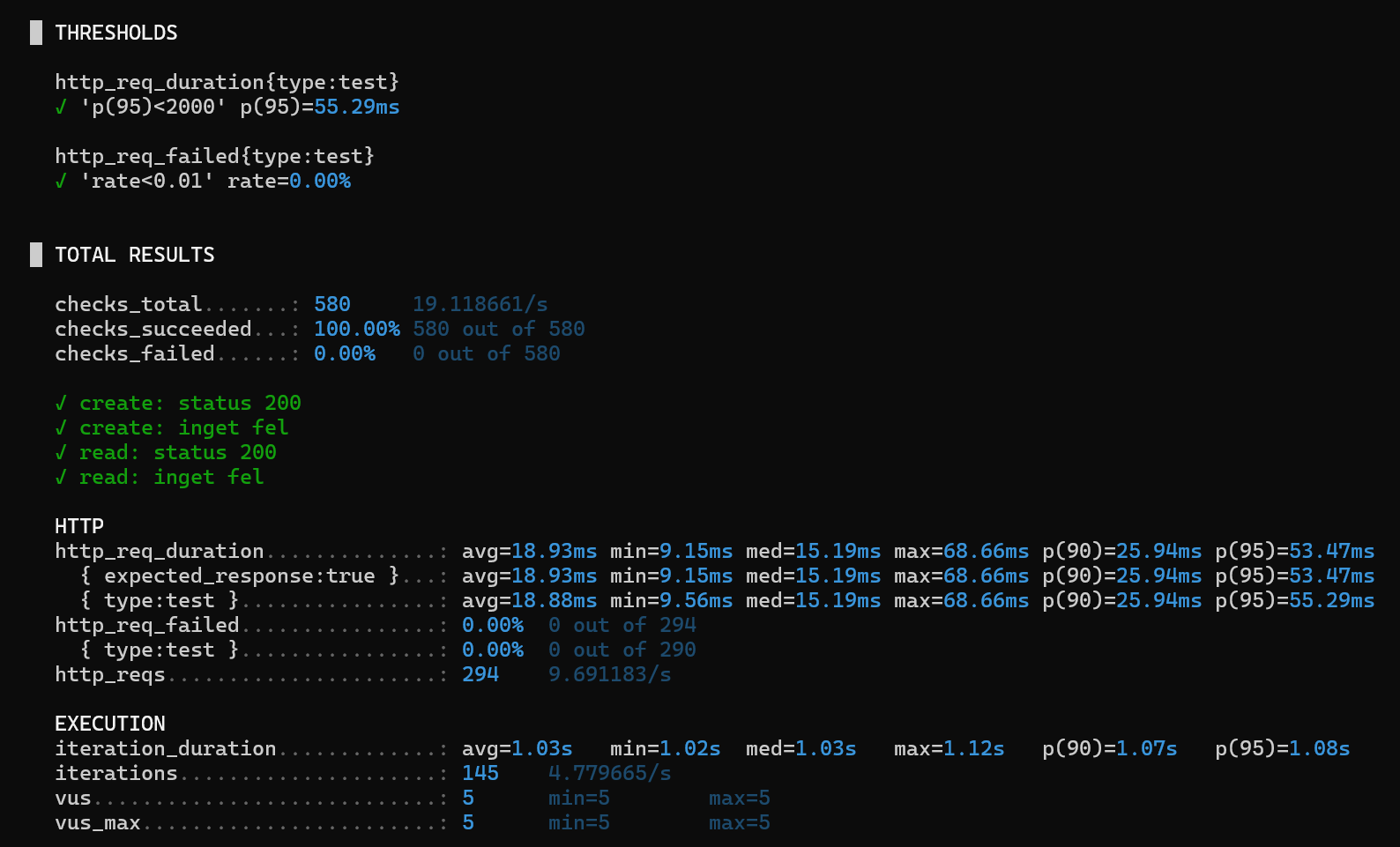
The tests now run automatically every weekday morning via Azure Pipelines. No manual steps, no one needs to remember to run them.
It ended up being a few hundred lines of code and a YAML file. One thing I learned was that performance tests don't require a production-like environment. Framed as regression tests, the question is simply whether something you changed suddenly made things much slower. Another thing I learned was how important isolation is: tagging test data, cleaning it up, and making sure the tests don't interfere with the xUnit tests running in the same environment at the same time. And now we have confidence we didn't have before.